
Loan Snapshot
Know what a loan really costs before you sign.
What Loan Snapshot Does
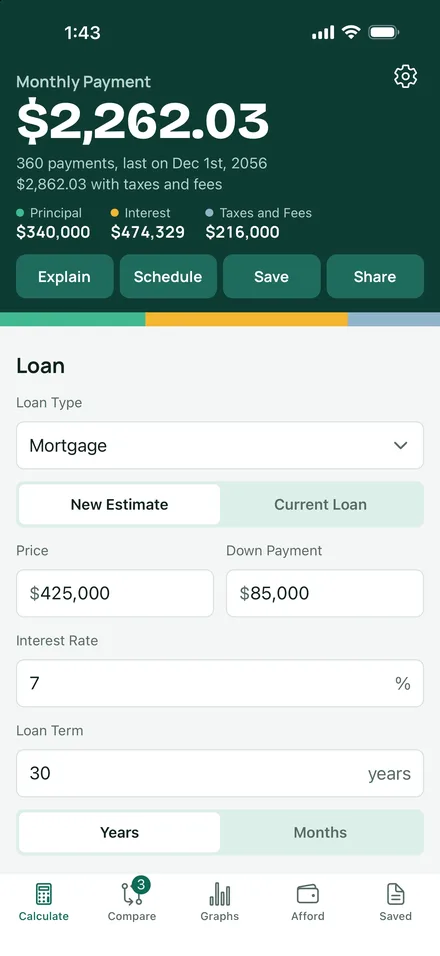
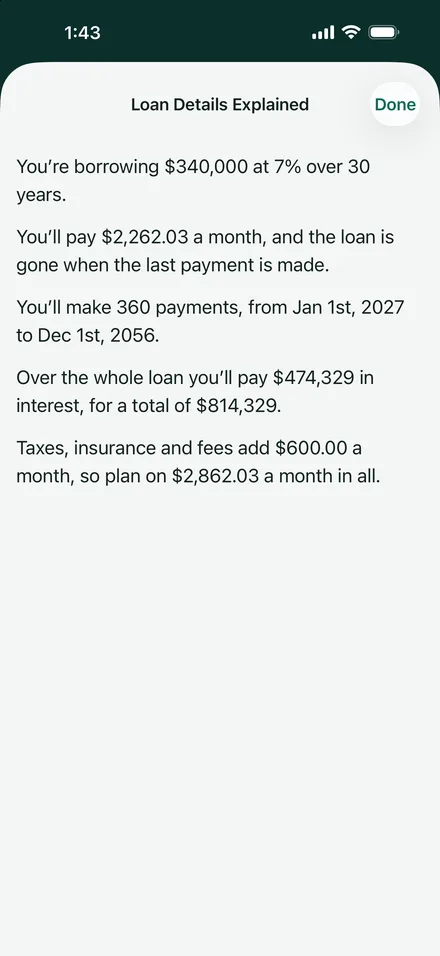
A loan calculator that shows your payment, total interest and payoff date at a glance. Compare loans side by side, see what extra payments save, and share a clean PDF. No account needed.
- Mortgage, auto, personal, home equity, business, student and custom loans
- Standard, balloon, interest-only, hybrid and equal-principal loans, paid weekly to yearly
- Plan a new loan, or enter one you already have and see what’s left
- See what extra or one-time payments save in interest and time
- Compare loans side by side and graph them together
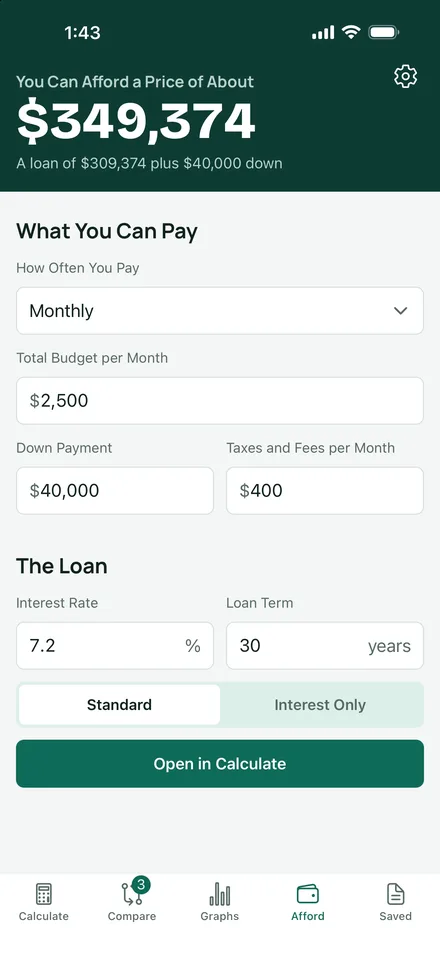
- Work out what you can afford from a payment you’re comfortable with
- Check current average rates for mortgage, auto and personal loans
- Share a PDF of a loan or comparison, with your own name and logo if you work with clients
A Look Inside Loan Snapshot
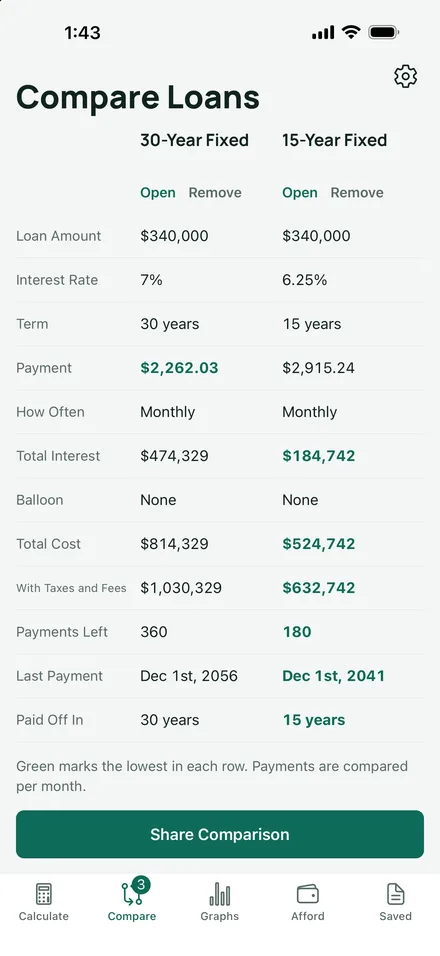
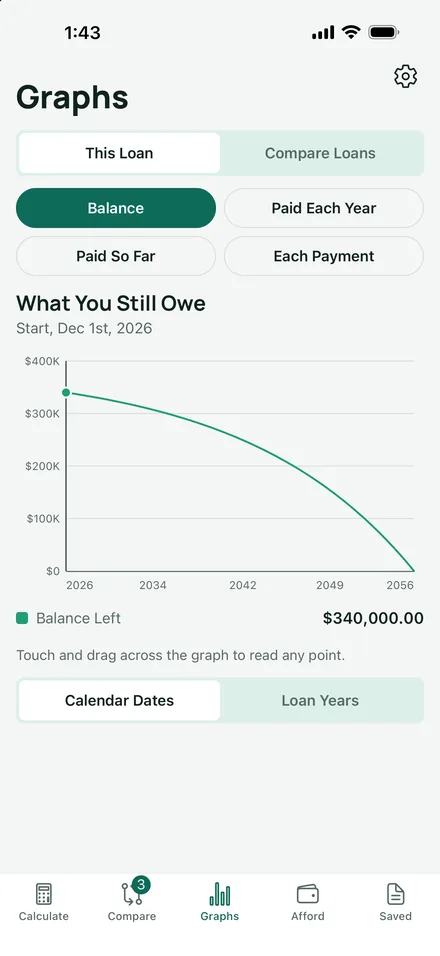
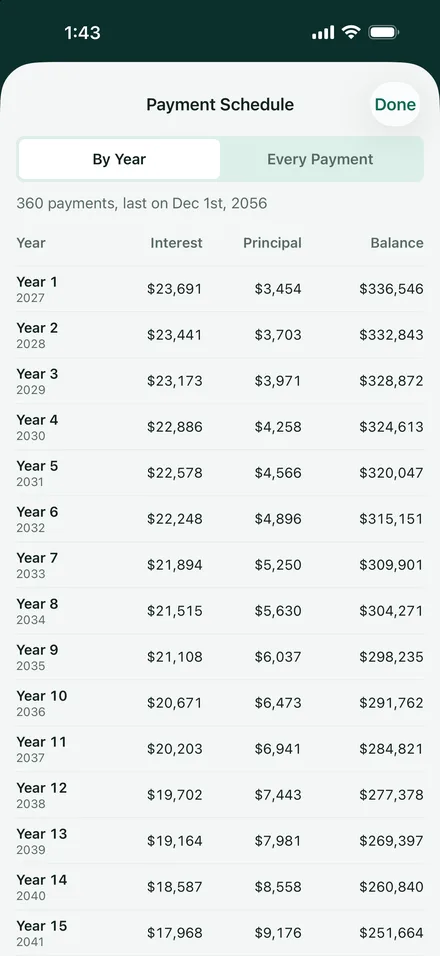
Real screens from the app. Swipe or scroll to see them all.
Help With Loan Snapshot
Need help? Email contact@deeprootstech.com and include your device and the app version, which you’ll find at the bottom of Settings.
Do I need an account?
No. There is nothing to sign up for.
Where are my loans kept?
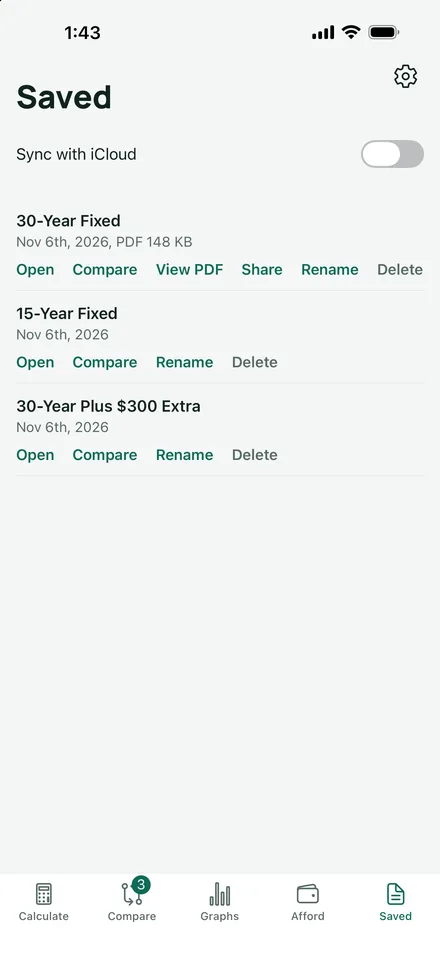
Saved loans and PDFs stay on your device. On iPhone and iPad, turn on Sync with iCloud on the Saved tab to keep them in your own iCloud as well.
Why doesn’t Check Current Average Rate appear?
It shows for mortgage, auto and personal loans in US dollars when you’re working on a new estimate. It needs an internet connection.
Where do the average rates come from?
Mortgage averages come from the Consumer Financial Protection Bureau and update weekly. Auto and personal loan averages come from the Federal Reserve and update every few months. Your own rate will depend on your lender and your credit.
How do I remove the ads?
Open Settings and tap Remove Ads. It’s a one-time purchase. If you already paid, for example on a new device, tap Restore Purchase.
Does changing the currency convert my amounts?
No. It changes the symbol shown. Amounts stay the same.
Can I put my name and logo on PDFs?
Yes. Add them under Your Brand in Settings.
How do I enter a loan I already have?
Choose Current Loan on the Calculate tab, then enter the original amount and your exact payment, without taxes, insurance or HOA.
Are the results exact?
They are estimates for planning. Your lender’s figures can differ because of fees, rounding and how the lender counts days. Loan Snapshot does not offer or arrange loans and is not financial advice.
Contact Support
Email us and a real person will answer, usually within two business days. Include:
- Your device
- The app version, at the bottom of Settings
- What happened, and a screenshot if you can
Want an App of Your Own?
Loan Snapshot was designed and built by Deep Roots Tech. We build custom apps and websites for businesses, ministries and people with an idea.