Social Sweep
Check everything. Scroll nothing.
What Social Sweep Does
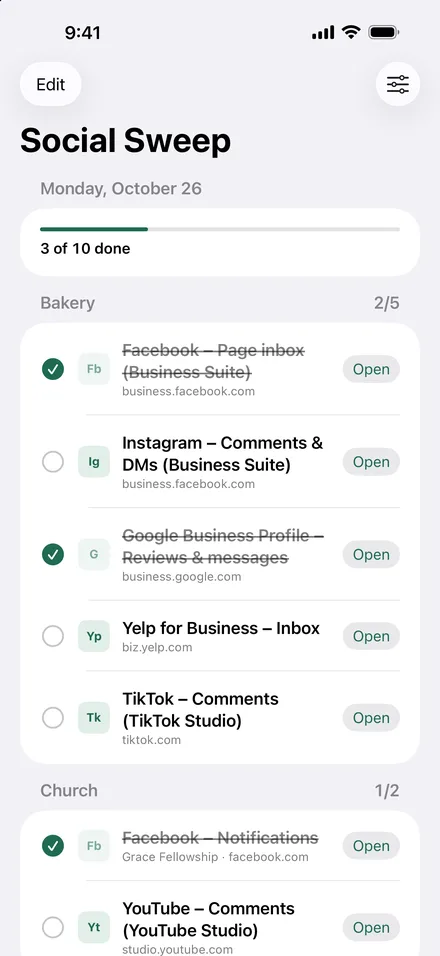
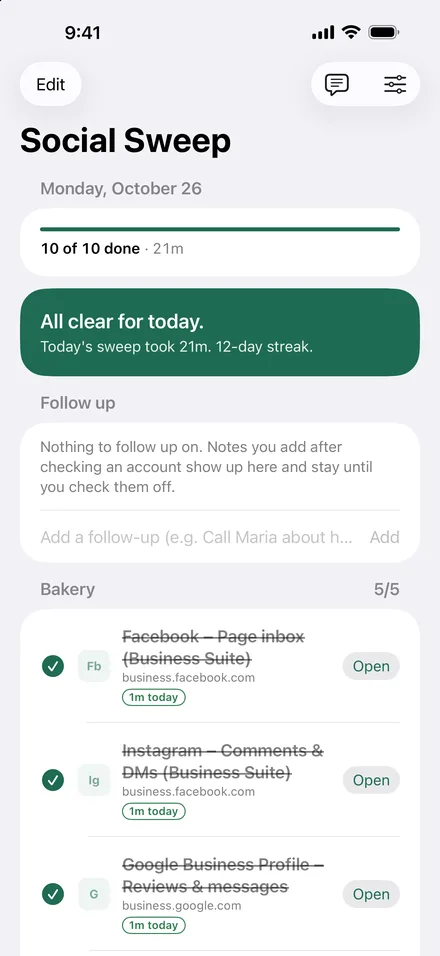
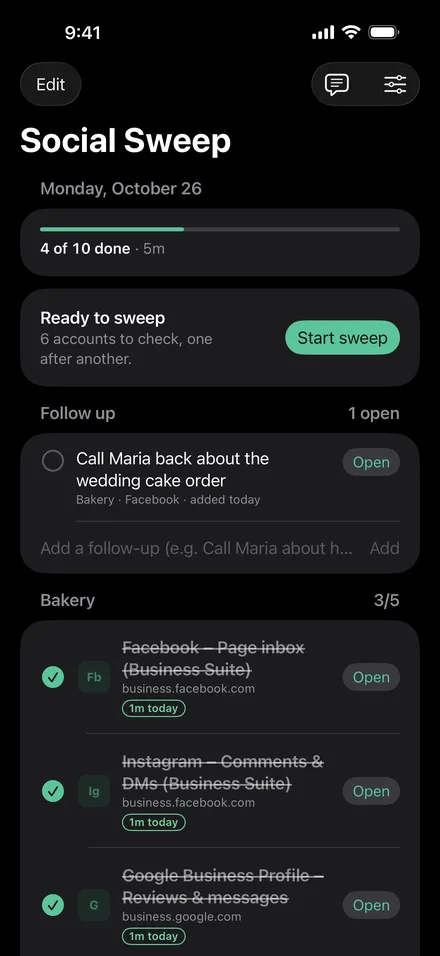
A daily check-in board for anyone who manages more than one social media account. One tap opens the page with your new messages, notifications or comments; handle it, check it off, done for the day.
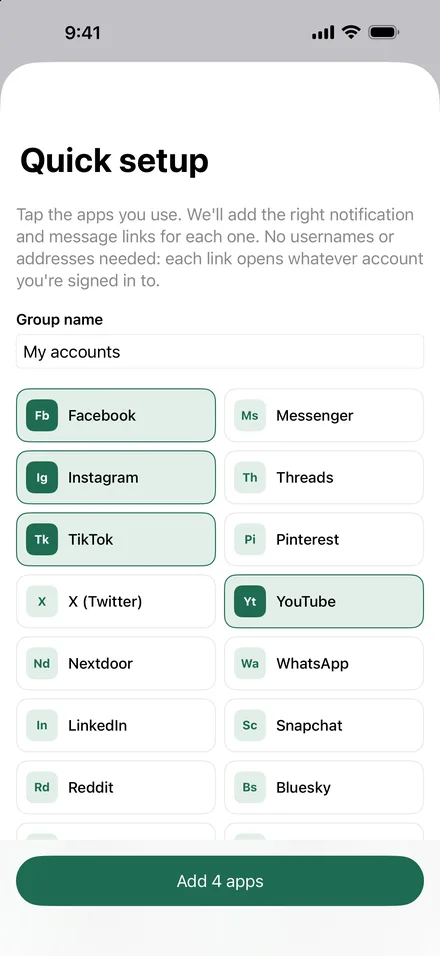
- Quick setup: pick the apps you use from 24 platforms and the best links are added for you
- Groups for each business, church or family account
- One tap opens the right page: notifications, messages, comments or requests
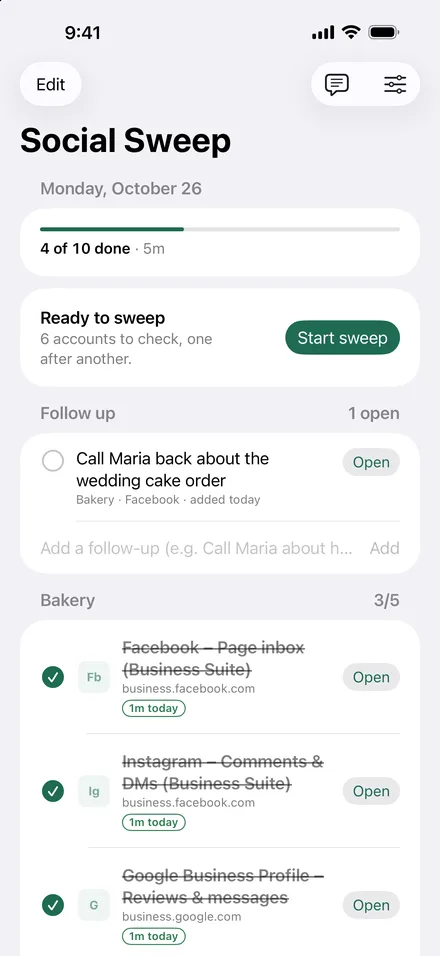
- Checkmarks reset every morning, so you know what you haven’t looked at today
- No usernames or passwords: links open whatever account is signed in
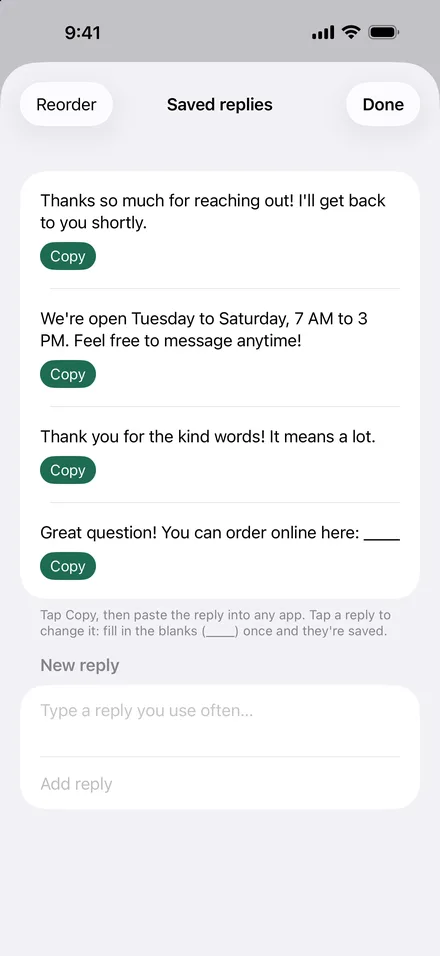
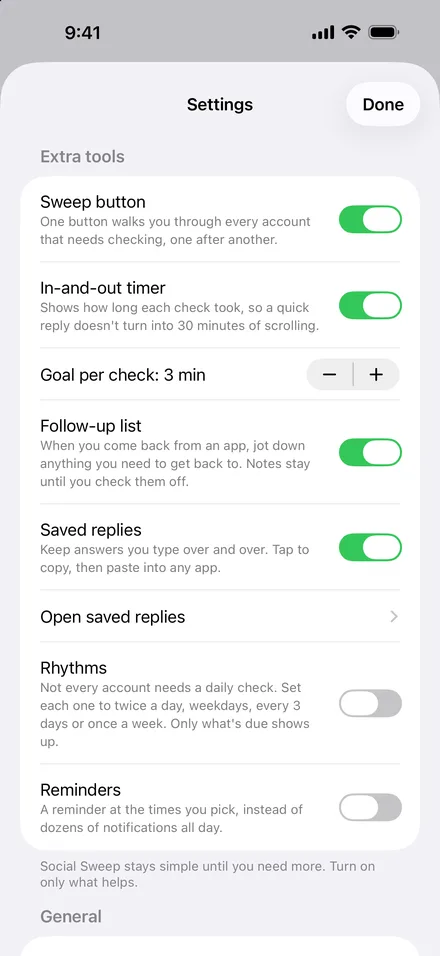
- Optional extra tools: reminders, saved replies, follow-ups, timers and streaks
A Look Inside Social Sweep
Real screens from the app. Swipe or scroll to see them all.
Help With Social Sweep
Does Social Sweep read my messages?
No. Social media platforms don’t let outside apps read your notifications, so Social Sweep doesn’t try. It opens the page where you can read them yourself.
Do I need to give it my passwords?
No. Social Sweep never asks for your usernames or passwords. Each link opens whatever account is already signed in on your phone.
When do the checkmarks reset?
Every day at the hour you choose. The default is 3 AM, so late-night checks still count for that day.
How do I move my setup to a new phone?
Open Settings › Your data and export a backup to Files, then restore it on the new phone.
Something isn’t working right.
Update to the latest version and restart the app. If the problem stays, email us with the details listed here.
Contact Support
Email us and a real person will answer, usually within two business days. Include:
- That it’s about Social Sweep
- Your device (iPhone, iPad or Mac) and the app version
- What happened, and a screenshot if you can
Want an App of Your Own?
Social Sweep was designed and built by Deep Roots Tech. We build custom apps and websites for businesses, ministries and people with an idea.